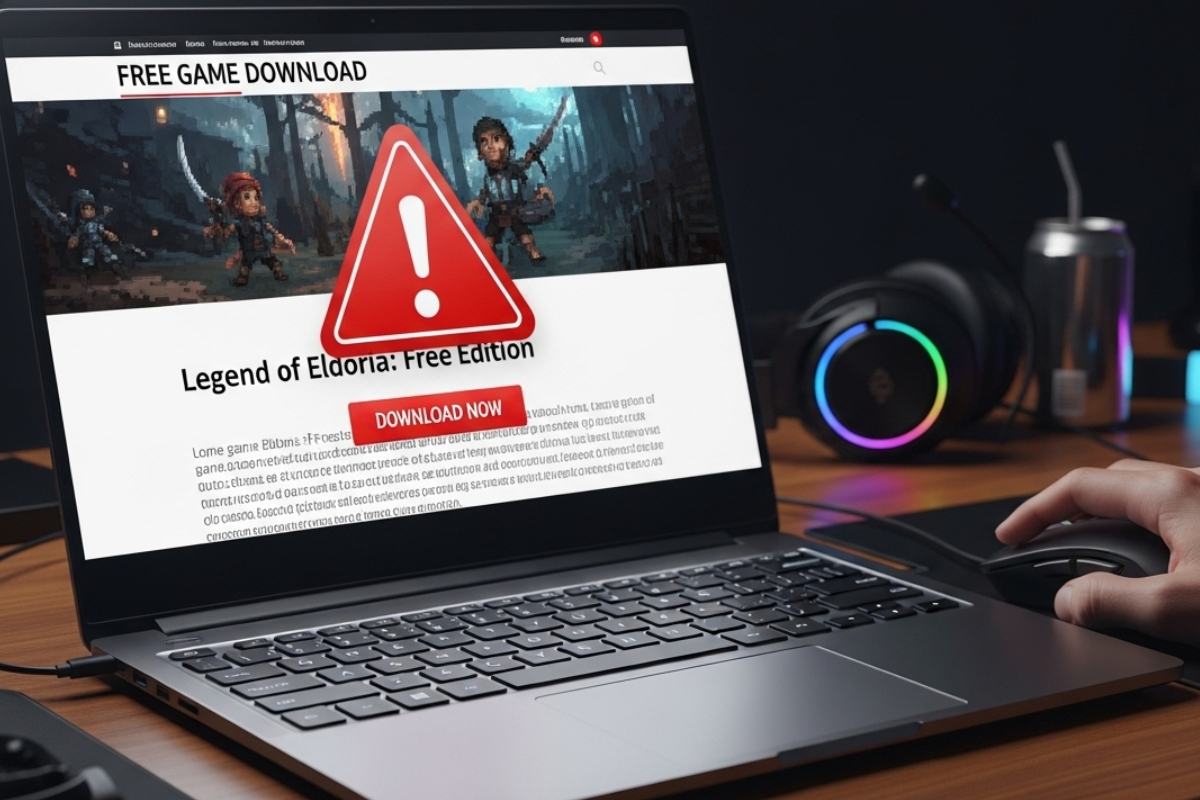
A new game drops. Your group chat is buzzing. You search for a free version and land on a slick page with a giant green Download button. It looks legit. It feels urgent. That is exactly how scam pages win. They rush you, confuse you, and hope you click before you think.
At freegames.hk, we care about access and safety. Free gaming should be fun, not a malware lottery. This checklist breaks down how fake download pages operate, what red flags to watch for, and how to protect your device without drifting into piracy territory. If you ever use a verified APK download source, make sure it emphasizes verification, file integrity, and transparent version details rather than shady popups and forced installers.
Quick Gamer Safety Summary
- Fake pages push urgency and oversized download buttons
- Real platforms show clear version numbers and developer info
- Scam sites hide behind redirects and aggressive ads
- Check permissions before installing any file
- If it promises paid AAA games for zero cost, pause immediately
Why Fake “Free Game” Pages Exist
Scam pages are not random. They are built around demand spikes. Big releases like Genshin Impact or other trending titles often trigger waves of fake landing pages that promise unlocked skins, unlimited currency, or premium editions for nothing. The goal is simple. Get you to download malware, steal credentials, or harvest ad revenue through forced redirects.
Some of these pages clone real layouts. They copy logos. They use stolen screenshots. They even mimic comment sections filled with fake praise. If you are excited and scrolling fast, the illusion works. This is social engineering dressed up as gaming culture.
The Anatomy of a Fake Download Page
Most scam pages follow a pattern. Once you see it, you cannot unsee it. The structure repeats across domains and genres.
- Oversized Download Buttons
Bright colors. Flashing arrows. Multiple identical buttons stacked vertically. Real platforms rarely scream at you. - No Clear Developer Information
You will not see official publisher names, version logs, or patch notes. Instead, vague phrases appear like the latest cracked edition. - Forced Redirect Chains
Clicking once triggers three new tabs. Each tab pushes another installer. That is a red flag. - Fake System Warnings
Pop-ups claim your device is outdated or infected. They pressure you into downloading a tool you never asked for.
A real gaming page focuses on gameplay, specs, and compatibility. Scam pages focus on pushing downloads fast. That difference is subtle but consistent.
Check the URL Before You Click
Your first defense is the address bar. Look for misspellings. Extra hyphens. Strange domain endings that imitate trusted brands. Many scam sites rely on glances. They count on you not noticing a small typo.
If you are unsure how official game distribution typically works across platforms, reviewing differences between unofficial files and store versions helps. Our breakdown of APK vs app store versions highlights how legitimate ecosystems handle updates, signatures, and security reviews.
Scam sites rarely provide transparent update histories. They avoid showing changelogs because there are none. The file you download today might not match the file tomorrow.
Warning Signs Hidden in Design
Design tells a story. Fake pages often look rushed. Fonts mismatch. Grammar feels off. Stock images appear unrelated to the game itself. Real publishers invest in branding consistency.
Watch for countdown timers that reset when you refresh. That trick creates artificial urgency. It pushes you to click before thinking. Legitimate promotions do not restart every time you reload the page.
If the site displays zero gameplay footage and only static promotional art, that is suspicious. Genuine platforms typically show trailers, screenshots, or user reviews tied to verified accounts.
Permissions That Make No Sense
After downloading a file, the real danger begins. Installation prompts reveal a lot. A puzzle game asking for access to your contacts, microphone, and SMS messages is not normal. Always review requested permissions before approving anything.
Mobile and PC security guidance from organizations such as CISA.gov emphasizes limiting app permissions to what is strictly necessary. If a game demands administrative control without reason, cancel immediately.
Malicious installers often bundle extra software. They disguise it as performance boosters or driver updates. In reality, they inject adware or spyware into your system.
Comparing Legit vs Fake at a Glance
| Feature | Legitimate Page | Fake Page |
|---|---|---|
| Developer Info | Clear publisher name and version | Missing or vague details |
| Download Process | Single verified file | Multiple redirects and popups |
| Permissions | Relevant to gameplay | Access to unrelated data |
| User Reviews | Linked to real accounts | Generic copy-paste praise |
High-Risk Phrases That Should Trigger an Alarm
Certain phrases appear repeatedly on scam pages. Treat them as warning sirens rather than perks.
- 100 percent unlocked premium edition
- No verification required
- Exclusive mod not available anywhere else
- Instant unlimited currency generator
These lines exploit excitement. They promise shortcuts. Real developers monetize games through clear models, whether ads, subscriptions, or in-app purchases. Free access does not mean unlimited access without tradeoffs.
Cross-Checking With Trusted Sources
Before downloading anything, pause and cross-check. Search the official developer site. Look at their social media announcements. Verify whether the game has even been released in your region.
Our coverage of major titles, such as the Genshin Impact game page, shows how authentic listings present gameplay overviews, system requirements, and official distribution paths. Scam sites rarely bother with that level of detail.
If you cannot find confirmation from the developer or recognized platforms, step back. Waiting a few hours is safer than reinstalling your operating system after a malware infection.
Protecting Your Device Like a Pro
Strong habits reduce risk dramatically. Keep your operating system updated. Use reputable antivirus tools. Avoid downloading executable files from random comment sections or file-sharing links.
Also, enable browser protection features. Modern browsers flag suspicious domains automatically. If you receive a warning screen, do not override it casually.
Gamers invest heavily in hardware. Graphics cards, headsets, and mechanical keyboards. Protecting that setup is as important as optimizing frame rates. A single malicious file can compromise saved progress, personal data, and even payment details.
Community Awareness Matters
Scam pages spread fast through forums and social media. One misleading post can reach thousands within minutes. Report suspicious links. Warn friends. Share verified sources instead of unconfirmed downloads.
Gaming communities thrive on trust. Helping each other avoid scams strengthens that ecosystem. It also pressures malicious operators by reducing their click-through rates.
Think Before You Click, Every Time
Fake free game download pages rely on impulse. They count on hype. They exploit impatience. Once you slow down and apply this checklist, most of them become obvious.
Check the URL. Inspect the design. Review permissions. Cross-reference official sources. If something feels rushed or exaggerated, it probably is.
Free gaming should stay exciting and safe. Treat downloads with the same strategic mindset you use in competitive matches. Scan the environment. Assess the risk. Make deliberate choices. Your device, your data, and your progress are worth that extra minute.
Related Posts

How to Choose the Right Gaming Chair for Comfort and Performance
A good gaming chair is an essential part of any gaming setup, ensuring comfort and proper posture while playing. Spending long hours in front of the computer can lead to back, neck, and shoulder pain. The wrong chair can make…

Common Gaming Mistakes and How to Avoid Them
We often don't realize the common gaming mistakes we make, but these can greatly impact our performance. In every game, there are things we overlook that could result in defeat or a negative gaming experience. That’s why it's essential to…
Training Drills to Improve Mouse Accuracy
Training drills to improve mouse accuracy are essential not only for FPS and MOBA gamers but also for anyone using a computer for everyday tasks. Whether you're a gamer looking to level up in shooting games, a digital artist who…