Opening paragraph:
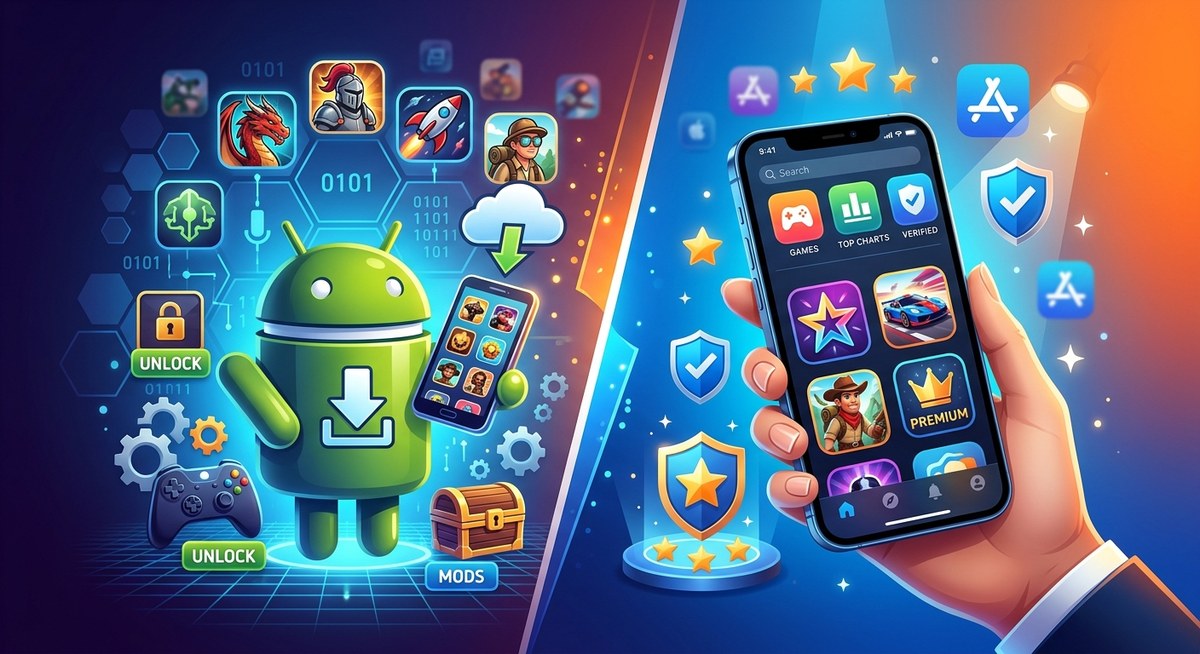
Choosing how you get your mobile games can feel like choosing a side in a legend. Do you go with the official app store that your device manufacturer endorses, or do you venture into APKs and third party stores in search of access, tweaks, or older versions? At FreeGames.hk we look at action, card, kids, puzzle and multiplayer titles with a gamer’s eye for practical detail. In this guide we unpack APKs versus App Store games, weigh pros and cons, and give you a clear path to decide what fits your device, your safety standards, and your gaming style.
Quick snapshot at a glance
- Availability: Official stores push the latest, certified versions; APKs can unlock regional variants or older builds that are not on the store.
- Updates: App stores push automated updates; APK routes require you to track and install updates manually.
- Safety and trust: Official stores use vetting and security scans; APKs from fourth party stores carry malware risk if sourced carelessly.
- Security services: Google Play Protect and Apple App Store protections help shield devices; APK use often needs extra safeguards.
- Device relevance: Some devices or regions have restricted access to certain apps; APKs can sometimes bypass those limits, but at a cost.
- Legal and licensing: App stores operate under developer and platform rules; APK distribution, especially via unofficial channels, can breach terms and licenses.
- Convenience vs control: App stores emphasize ease of use and seamless updates; APKs offer control and customization at the cost of extra effort.
The case for APKs
APKs are the packaging format for Android apps. People often seek APKs for reasons like access to region locked titles, earlier beta builds, or older versions that have since vanished from the official store. Here is what to know.
Convenience and access
- Regional access: Some apps or games arrive first in certain regions; APKs can sometimes bridge the gap when you cannot wait or when official availability lags.
- Early access and betas: Developers sometimes test features with players outside the main store launch window, and APKs can provide a way to participate.
- Older versions: If a newer update crashes or removes a favorite feature, you might be tempted to sideload an older APK as a workaround.
- No dependence on Google Play Services: Some power users prefer to minimize Google Play Services usage and opt for APKs that sidestep them.
The risks and tradeoffs
- Malware and tampering risk: The primary danger is downloading compromised files from untrusted sources. Malware, adware, or hidden payloads can slip in.
- Legal and policy concerns: Installing APKs from outside official channels may violate terms of service or app licensing agreements.
- Update management: You are responsible for tracking updates, compatibility, and security patches.
- Verification and integrity: APKs can be altered; counterfeit builds may pretend to be legitimate.
Best practices if you go the APK route
- Use reputable sources: Stick to well-known, community trusted platforms with good moderation and clear verification practices.
- Check cryptographic signatures: Verify the APK’s signature and compare checksums when possible.
- Scan before install: Run a malware scan with your security suite and consider using a secondary device for risky files.
- Be mindful of permissions: Review what an APK requests and deny unnecessary access.
- Avoid bundles when unsure: APKs sometimes come as bundles like XAPK or APKMOBI formats; understand what is being installed.
- Keep safe storage: Use reputable file managers and avoid exposing APKs to insecure networks.
The official App Store route: benefits and limits
Official app stores from Google and Apple maintain a controlled ecosystem designed to protect users, developers and the platform.
Safety and security you can count on
- Vetting processes: Apps pass through security checks and content policies to minimize malware and inappropriate content.
- Verified updates: Pushed updates ensure you’re running the latest features and fixes with typically minimal risk.
- Privacy controls: Stores frequently include privacy disclosures and data usage information.
Streamlined updates and support
- One tap updates: Apps update automatically or with a single tap, reducing manual maintenance.
- Compatibility guarantees: When you update to a new OS version, the app store typically helps ensure compatibility with your device.
- Customer support channels: If a problem arises, you can leverage platform support and developer channels.
Region availability and media of record
- Availability mirrors licensing: Some titles appear only in specific markets due to licensing, regional laws, or platform decisions.
- Store expectations: Apps published here follow the platform’s rules and terms of service.
Realistic downsides
- Lag in regional releases: You might wait for a global rollout or for a localized version to appear.
- Fewer control options: You might not be able to access older versions or experimental builds as easily.
- App store restrictions: Some apps may refuse to run if they detect non standard device configurations or rooted/jailbroken devices.
How to decide what path fits you best
Here is a practical decision framework to help you pick APKs or an official store depending on your situation.
1) Are you chasing access to a region locked title or an older version?
– APKs can be a route if you understand the risks and sources.
2) Do you value the ease of maintenance and safety assurances?
– Official stores win on safety and convenient updates.
3) Is your device constrained by a specific OS or hardware requirement?
– For some devices, the official store may offer better support and optimization.
4) Do you have adequate data and storage to manage manual updates?
– APK management requires a hands on approach; if you prefer automation, the store path is easier.
5) How important is licensing and legality to you?
– If you want a clean legal footprint and developer support, stick with official stores.
If you answered yes to convenience, safety, and support, the official App Store route is typically the better default. If you answered yes to access, experimentation, or you are tech curious, APKs can be worth exploring with caution and discipline.
How to install APKs safely if you choose that path
- Step 1: Do your research
- Confirm the app is legitimate and check user feedback in trusted communities.
- Step 2: Source wisely
- Prefer well known aggregators with active moderation and transparent security checks.
- Step 3: Prepare your device
- Enable app installations from unknown sources only for the duration of the install, then disable.
- Step 4: Verify integrity
- If the source provides a hash or signature, verify it matches the downloaded file.
- Step 5: Install and configure
- Install the APK, review requested permissions, and avoid granting excessive access.
- Step 6: Maintain hygiene
- Keep a security scanner active and avoid side loading apps that require unusual privileges.
- Step 7: Update strategy
- Manually install new APKs from trusted sources when you need new features or fixes.
- Step 8: Safer sandbox practices
- Consider testing suspicious apps in a dedicated device or a separate user profile.
Streaming basics for mobile gamers
Streaming games can reduce device storage needs and keep games accessible without heavy downloads. There are two main flavors: cloud gaming and remote streaming.
- Cloud gaming basics: You access the game remotely on powerful servers. Your device streams the game video while you send controls back. Pros include minimal local processing and quick access to high fidelity titles. Cons include dependency on a stable network and potential input latency.
- Remote streaming basics: You run a game on a PC or console at home and stream it to your mobile device. Pros include access to your existing library and consistent performance if your home network is strong. Cons include network requirements and potential lag.
- Data usage and plan considerations: Streaming can consume a lot of data; if you have a capped plan, you may want to monitor usage or use WiFi where possible.
- Choosing services: Look for services with solid latency performance in your region, good control integration, and broad library coverage, including multiplayer titles.
How streaming interacts with APK vs App Store choices
– If you stream a game, the client you install via the App Store is often a gateway to a streaming service product (for example a dedicated cloud gaming app).
– If you sideload APKs to play mobile friendly versions, streaming remains a complementary option that can broaden how you access titles without relying on a single storefront.
Case studies: Valorant and Elden Ring
Valorant and Elden Ring illustrate how app stores, APKs, and streaming intersect with major titles.
- Valorant: A premium PC title that has carried mobile and cloud play ambitions in various forms over time. For mobile players, there is often no official APK outside the PC/console ecosystem, so streaming or cloud play becomes a practical path to experience the game on a phone or tablet. In most cases, players use official app stores to access companion apps or to link their accounts, if available, rather than sideloading. This keeps licensing and anti cheat protections intact.
- Elden Ring: A flagship PC and console game with a robust official ecosystem but no official mobile APK. Mobile access generally comes through remote streaming or later spin offs. This demonstrates the limitation of APKs for big budget AAA experiences where licensing, anti cheat, and server architecture are tightly controlled.
Takeaway: For big triple A titles with strict licensing, streaming via official apps is often the safer and more reliable route, while APKs are more common for mobile ports, smaller indie releases, or region specific access.
VR gaming evolution and headset guidance
VR is reshaping how we game and interacts with APK and App Store dynamics in a few ways:
- App availability: Many VR titles are distributed through official stores tied to the headset, such as Oculus/Meta Quest, SteamVR, or PlayStation Store. This keeps care of device compatibility and safety updates.
- Side loading VR content: Some enthusiasts explore APK style packages or side loading strategies for VR apps on Android based headsets. This carries heightened risk due to device security and compatibility concerns.
- Headset options to consider:
- Meta Quest 2 and Quest 3: Standalone VR with robust library, strong social features, and wireless play. Great for multiplayer VR experiences and indie titles.
- PlayStation VR2: Strong console library integration for a premium immersive experience on PS5.
- Valve Index and other PC VR setups: Best for PC-tethered experiences with high fidelity but higher cost and setup complexity.
- Choosing a headset with APK considerations: If you want to tinker with side loading or experimental apps, prefer devices with unlocked bootloaders and communities that provide guidance. If safety and ease of use are priorities, stick to official store content.
Why this matters for FreeGames.hk readers
- You explore a broad catalog of action, card, kids, puzzle and multiplayer titles. APKs and official stores each unlock different doors. Knowing which door to pick saves you time, money, and risk.
- Streaming basics are increasingly relevant as more titles arrive via cloud gaming platforms. This expands your options beyond device storage and download limitations.
- VR is growing, and headset choices influence whether you lean toward official store access or experimental side loading in pursuit of new experiences.
The final verdict: which path is better for you
- If you value safety, straightforward updates, and legality, start with the official App Store route.
- If you crave access to niche titles, region locked options, or older builds and you are comfortable with the extra steps, APKs can be worth exploring carefully.
- For blockbuster AAA titles and more demanding experiences, streaming remains a practical bridge to bring console and PC games to mobile without depending entirely on APK distribution.
- For VR fans, prioritize official store content and a compatible headset for the best experience, and treat side loading as an advanced option with extra caution.
Quick decision guide for FreeGames.hk readers
- Prefer simplicity and risk mitigation? Use the official App Store route for most games.
- Love early access or region specific titles? Consider APKs from trusted sources with strong validation processes.
- Already using cloud gaming? Keep streaming as a core part of your strategy to access high fidelity titles on modest hardware.
- Building a VR setup? Invest in a headset and official store ecosystem for the most reliable experience; experiment with side loading only if you know the risks and have a safe testing workflow.
Practical tips and next steps
- Build a layered approach to security: Always back up your data, use strong device security settings, and keep your OS up to date.
- Stay informed: Follow official announcements from developers and platform owners to learn about licensing changes, regional availability, and new features.
- Create a testing routine: If you explore APKs, create a secondary testing environment, or a dedicated phone, to reduce the chance of impacting your primary gaming device.
- Leverage VR thoughtfully: Start with widely supported titles on official stores before exploring experimental content and side loading.
About FreeGames.hk
As a gaming hub for action, card, kids, puzzle and multiplayer titles, FreeGames.hk brings you practical guides, clear comparisons, and up to date information on APK versus App Store versions, streaming basics, and the evolution of VR gaming. We aim to help you choose the best path for your play style and device while keeping safety and fun at the heart of every recommendation.
Appendix: quickFAQ
- Are APKs illegal?
- It depends on the app and the jurisdiction. The legality concerns often relate to licensing, copyright and platform terms. Always consider your local rules and the developer’s terms of service.
- Can I safely sideload apps on iOS?
- iOS does not support sideloading in the same way as Android. Jailbreaking iOS devices can void warranties and introduce security risks, so it is generally discouraged.
- Do official app stores ensure better privacy?
- Official stores provide privacy disclosures, app permissions reviews, and update controls that help protect user data when used responsibly.
- Is streaming a workaround for device limitations?
- Yes, streaming can reduce device storage and processing requirements, but it relies on a solid internet connection and has potential latency.
In the world of mobile gaming, APKs and official app stores each offer distinct advantages and challenges. This is not about picking a single universal best path, but about understanding your needs, risk tolerance, and the demands of the games you love. Whether you are chasing new regional access, testing experimental builds, or locking in a streamlined and secure gaming routine, FreeGames.hk is here to help you navigate the choices with confidence.
Related Posts

APK vs App Store Versions of Mobile Games Explained
Mobile games reach players in more than one way. Most people tap an install button in an app store and start playing within seconds. Others come across APK files while trying to access a game that is not available in…

How Game Awards Influence the Future of Gaming
Game awards are not just about recognizing the best games—they are a powerful force that shapes the direction of the gaming industry. From setting new trends to inspiring game developers, their impact is far deeper than most people realize. A…
Optimizing Graphics Settings for Smooth Gameplay
Optimizing graphics settings isn’t just for tech-savvy gamers or PC enthusiasts. It’s important for anyone who wants to experience smooth, stable, and visually appealing gameplay. Especially for content creators and streamers, the right graphics settings can mean the difference between…